Retouching an Image in Lightroom
Welcome to my first post!
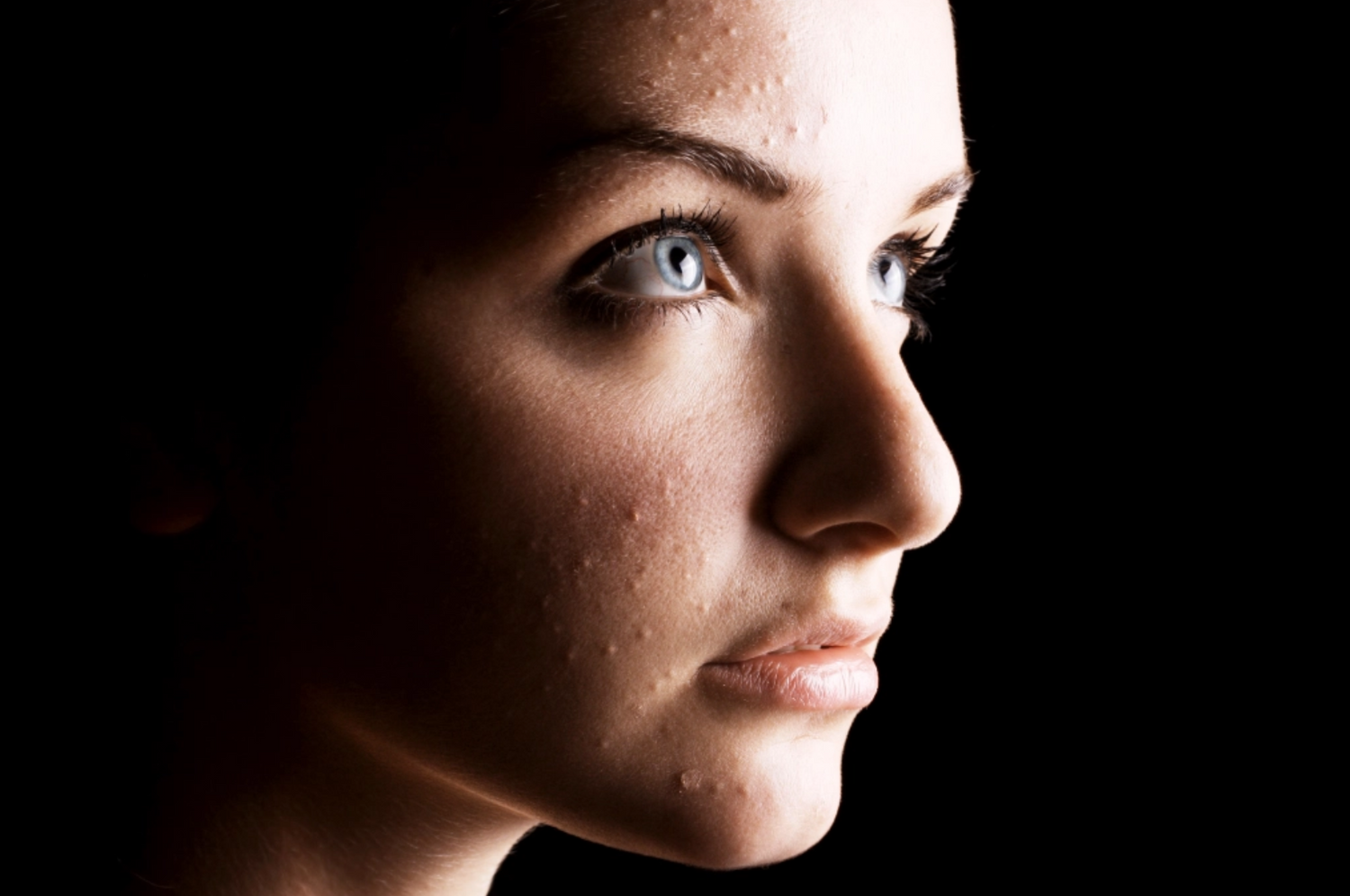
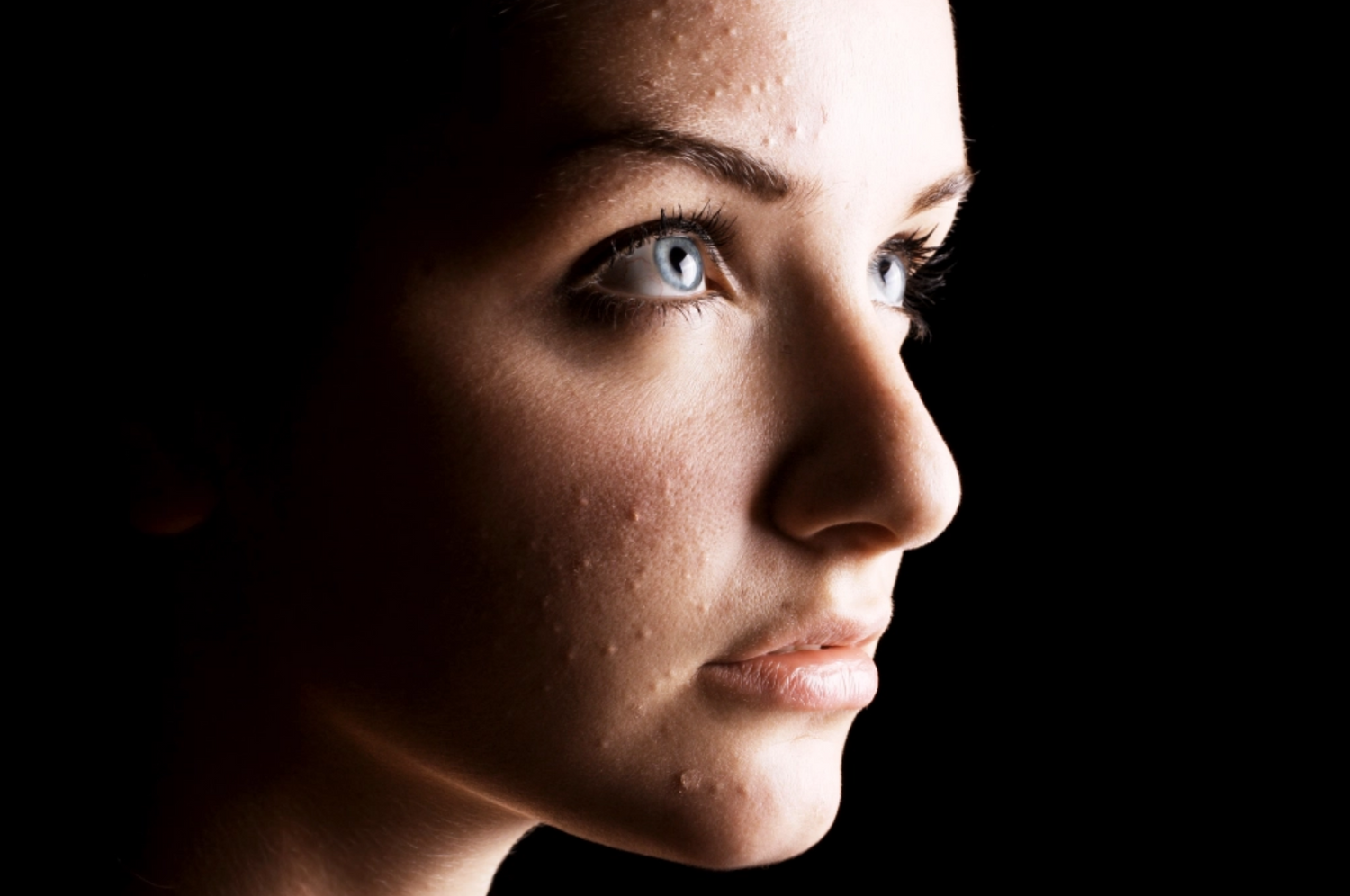
So for this Tutorial the first image I've chosen is the above portrait from adobe stock, and I will be removing the blemishes from the models face. This file is a JPG file so there is a limited amount of editing i can do do enhance the quality but i can use the heal spot tool to remove blemishes and this tutorial is to show you how to touch up an image in Adobe Lightroom Classic without using Photoshop.
Below Image 1 is the original file, the next three are where I have started to apply the healing tool.
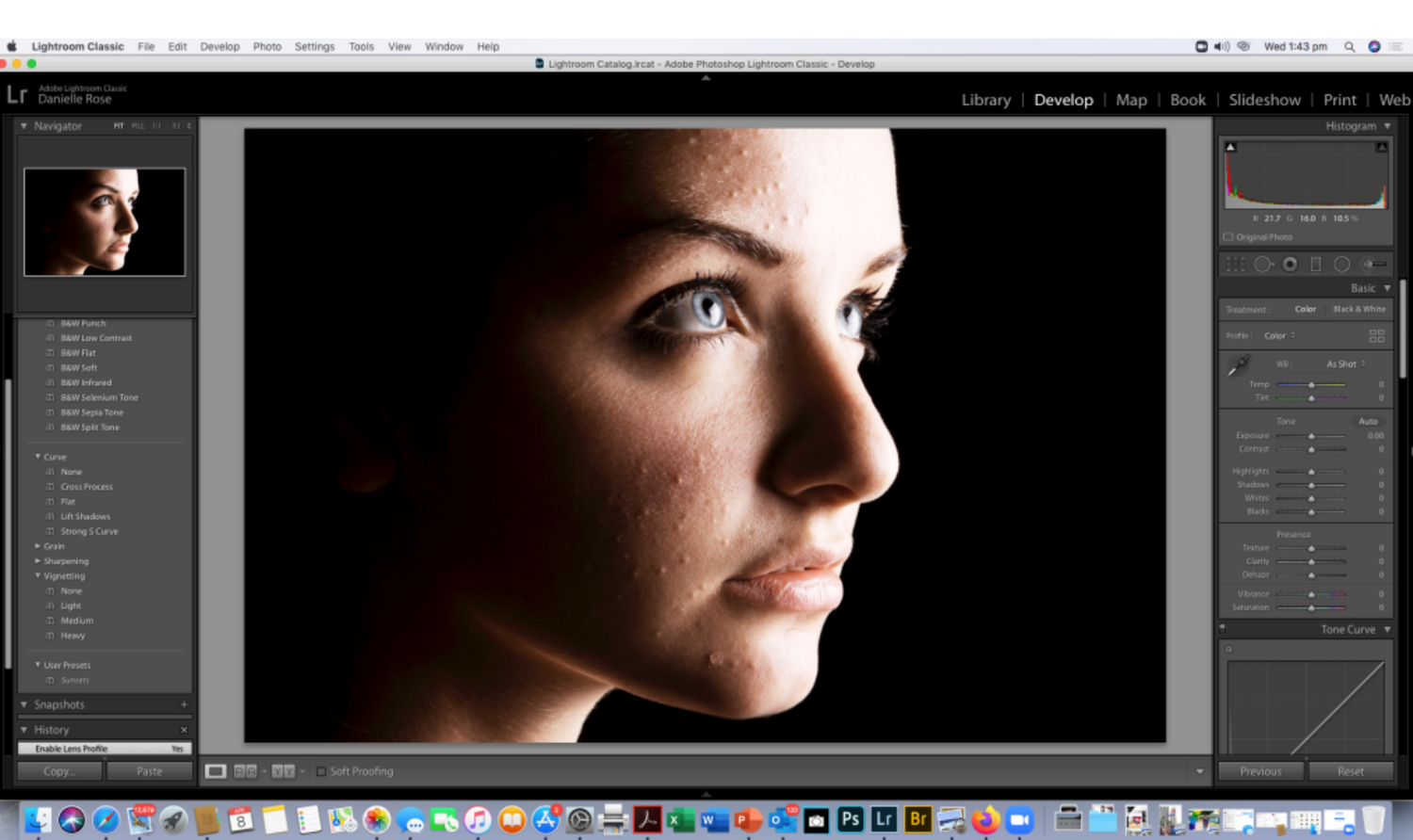
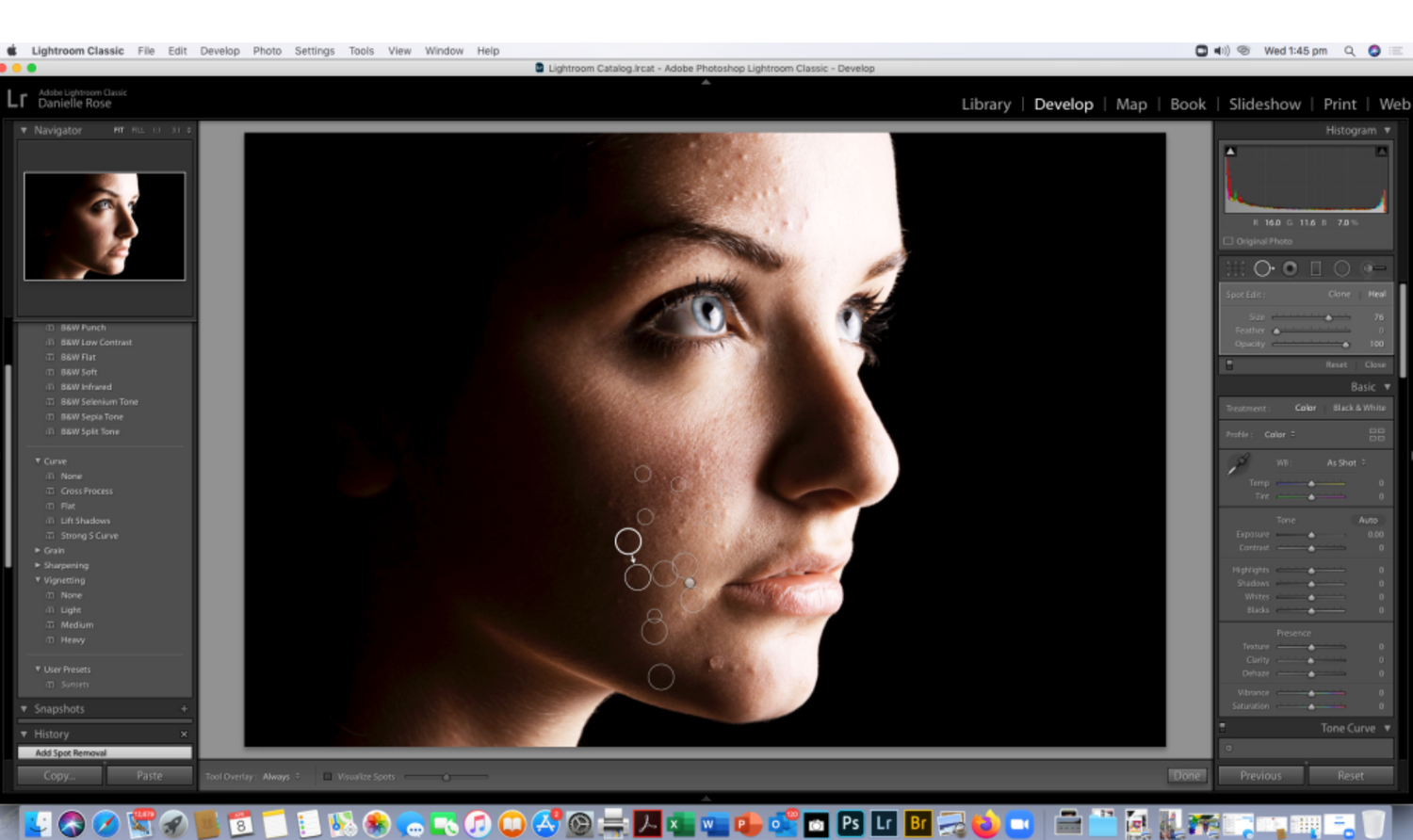
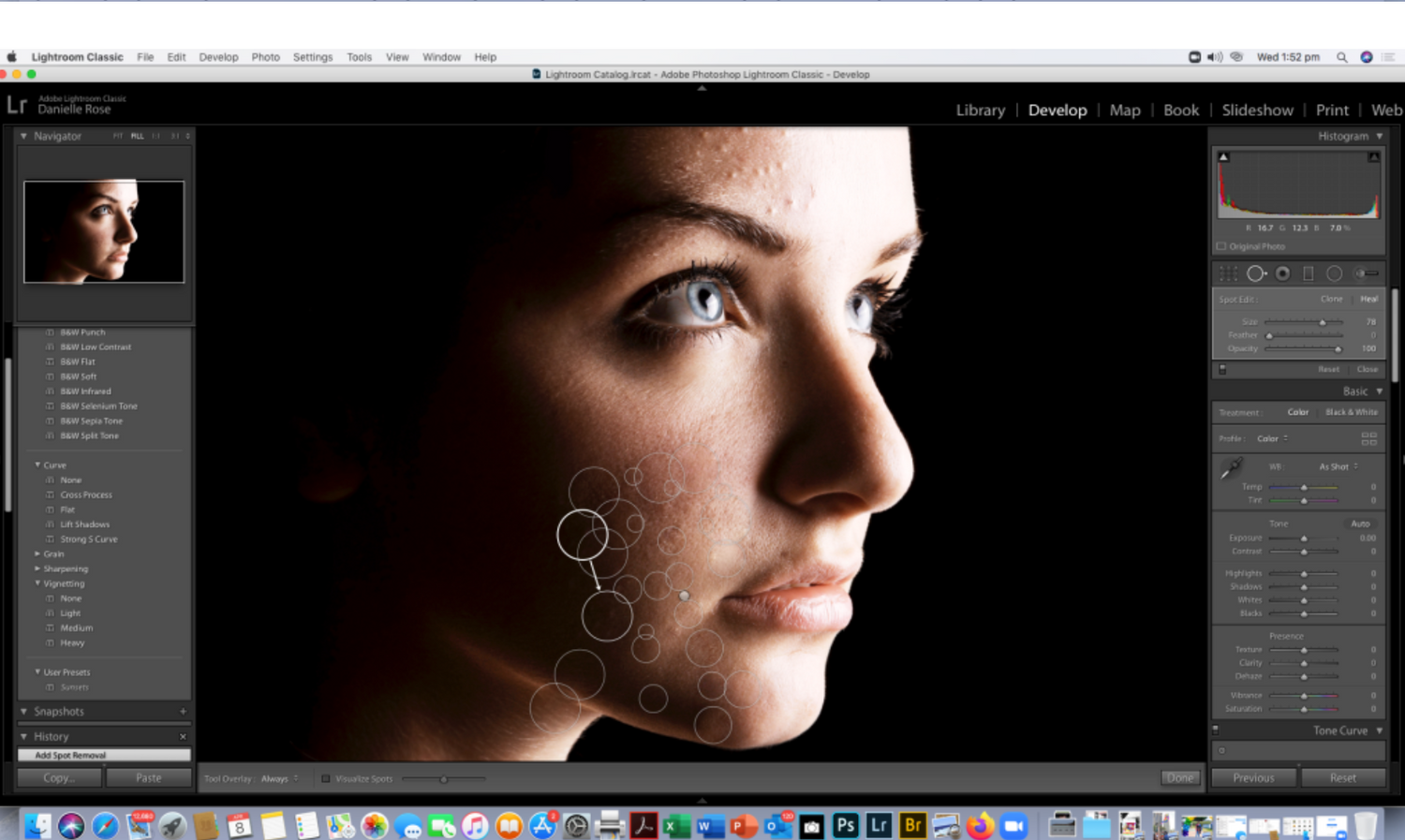
With a Jpeg file there are limitations to the adjustments you can make and the changes are noticable with the noise in the image which is why normally when retouching you would export a file from Lightroom to Photoshop so there's more data to work with, as adjustments are being made which makes the healing tool grab some crazy pigments and it's limited to how may blemishes on her skin i can retouch, normally i would do this in Photoshop and create a mask and additional layers, so to take the noise distraction away I had a little play with filters. If you look at the 3 images above you can see where I have applied the healing (bandaid) tool to the image and the skin is starting to smooth out..
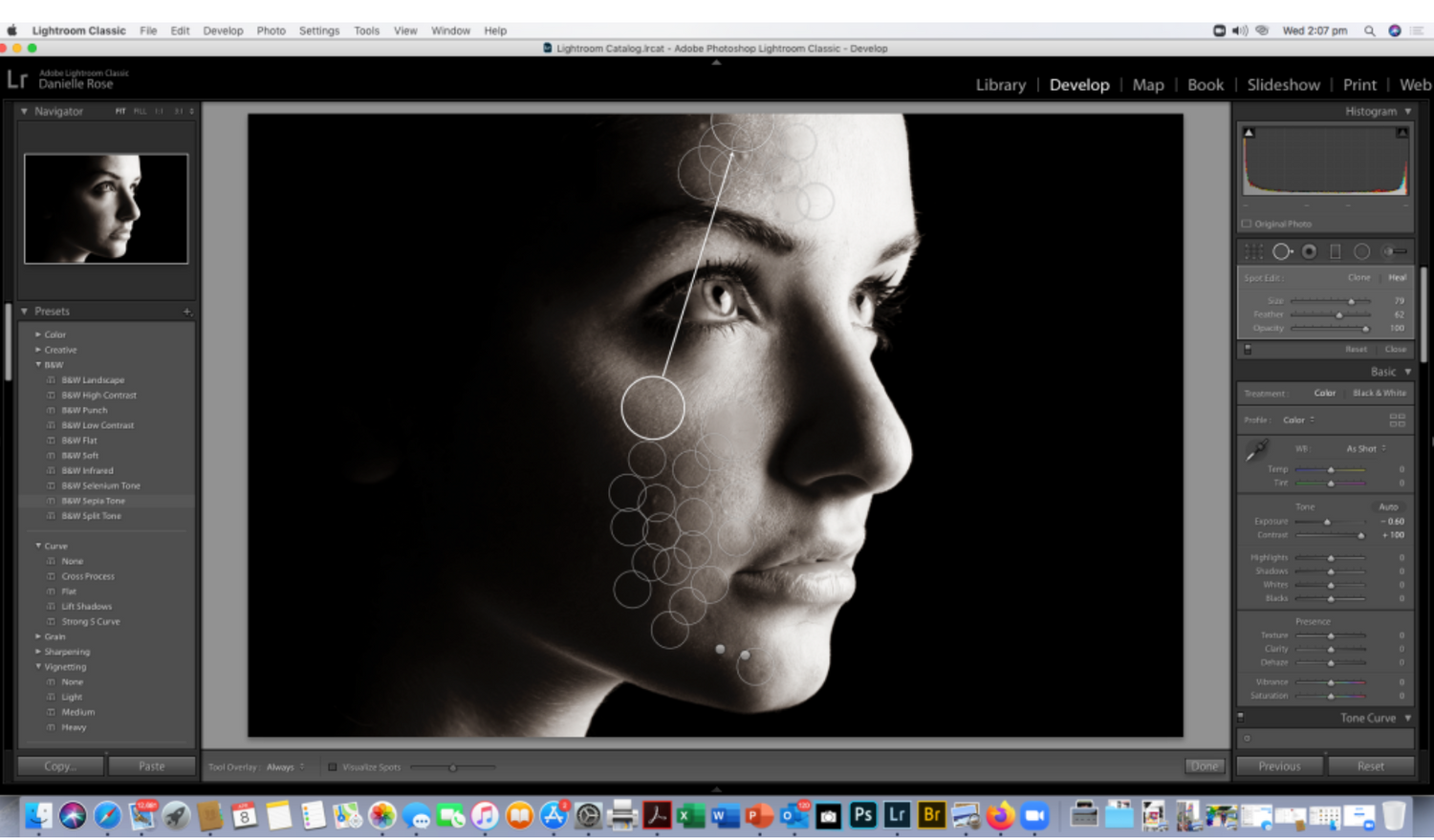
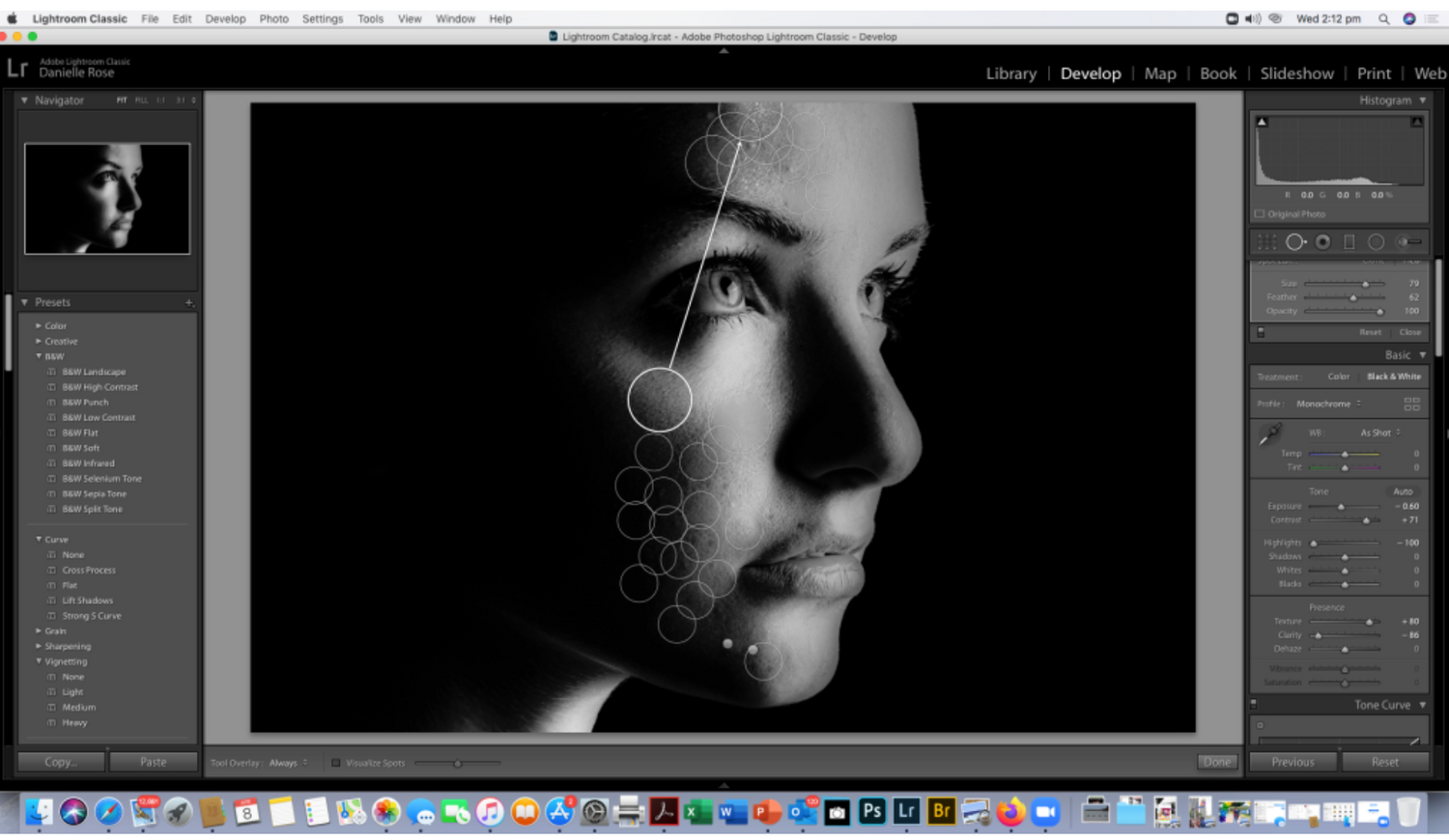
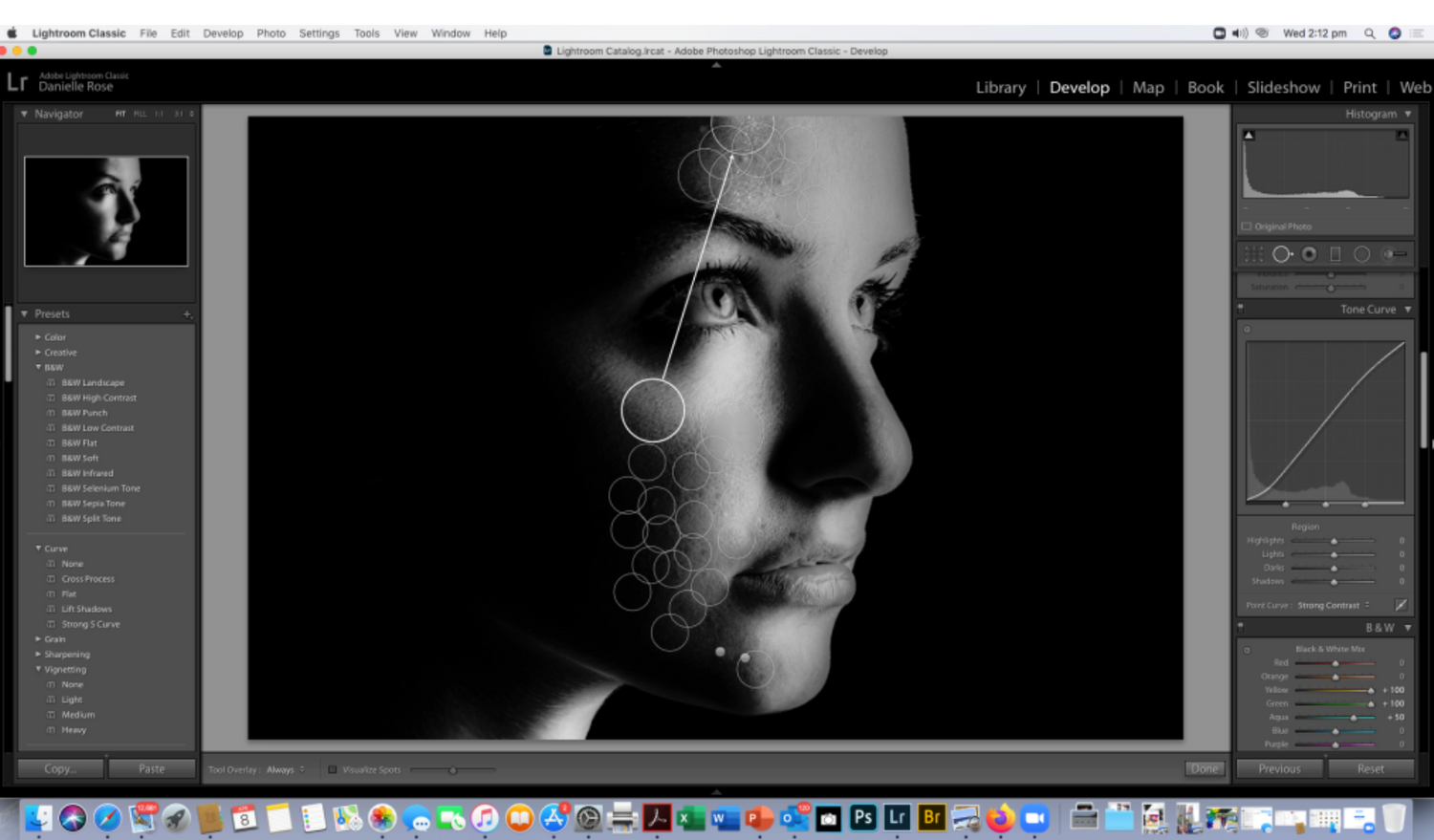
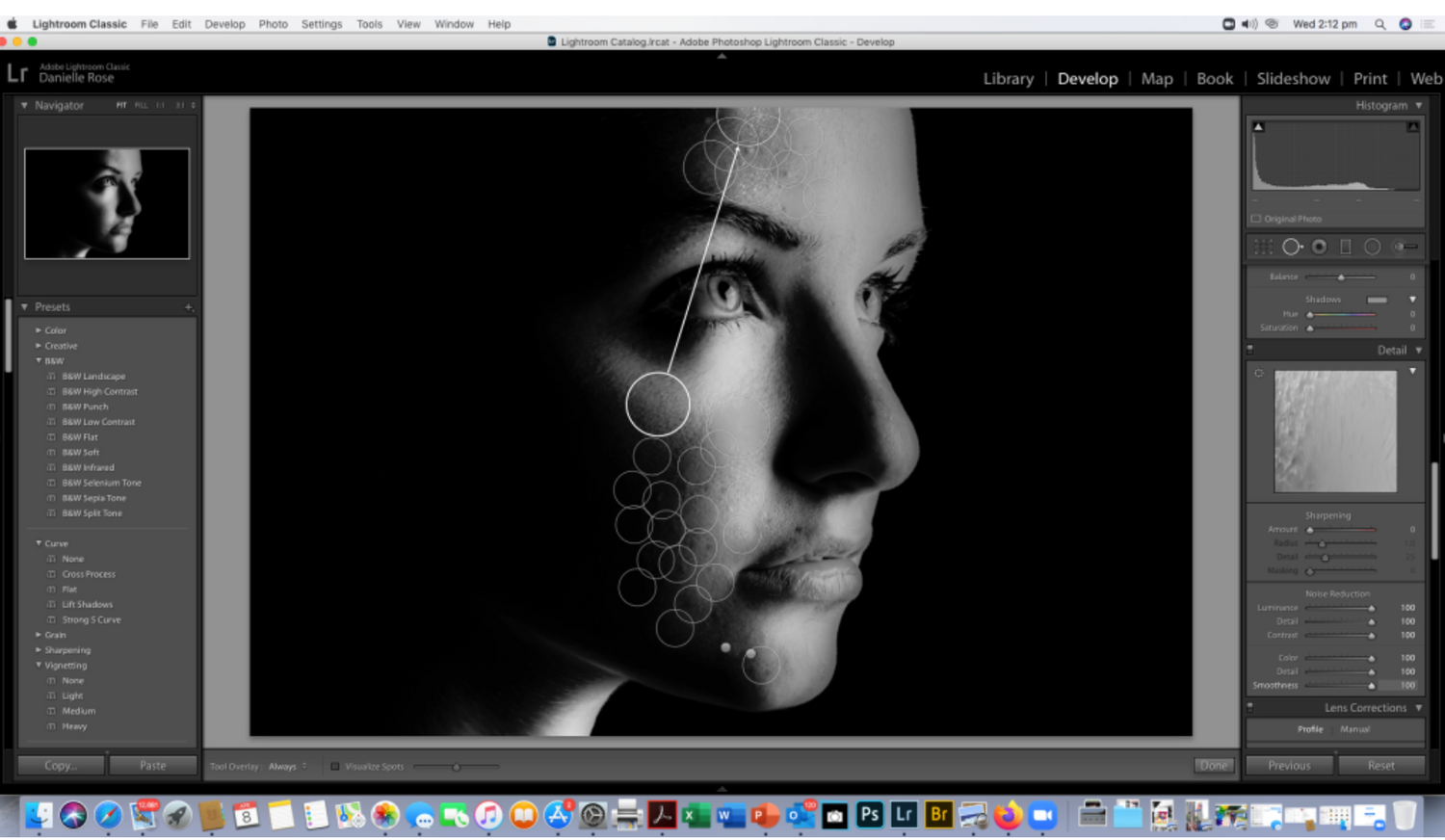
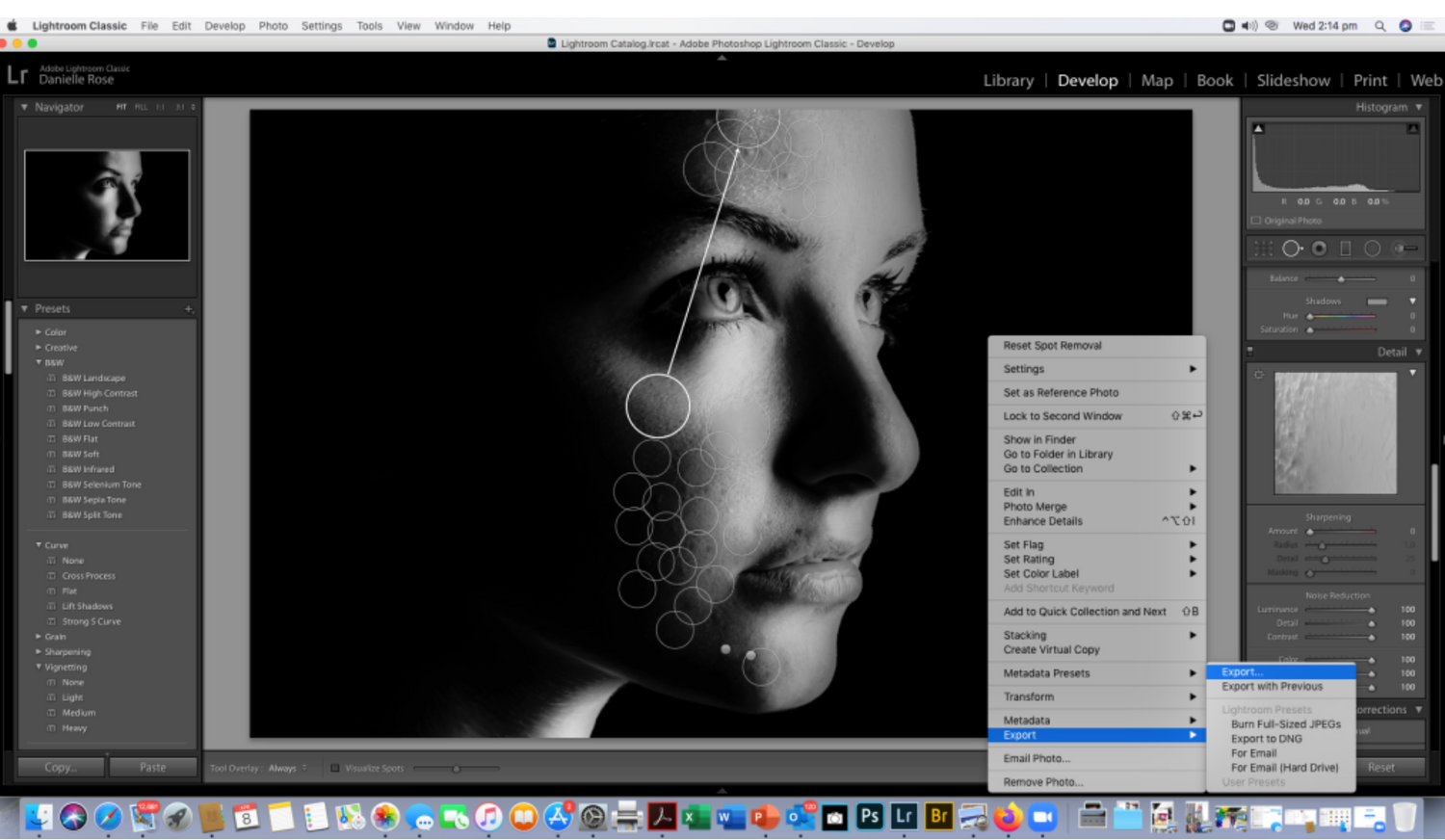
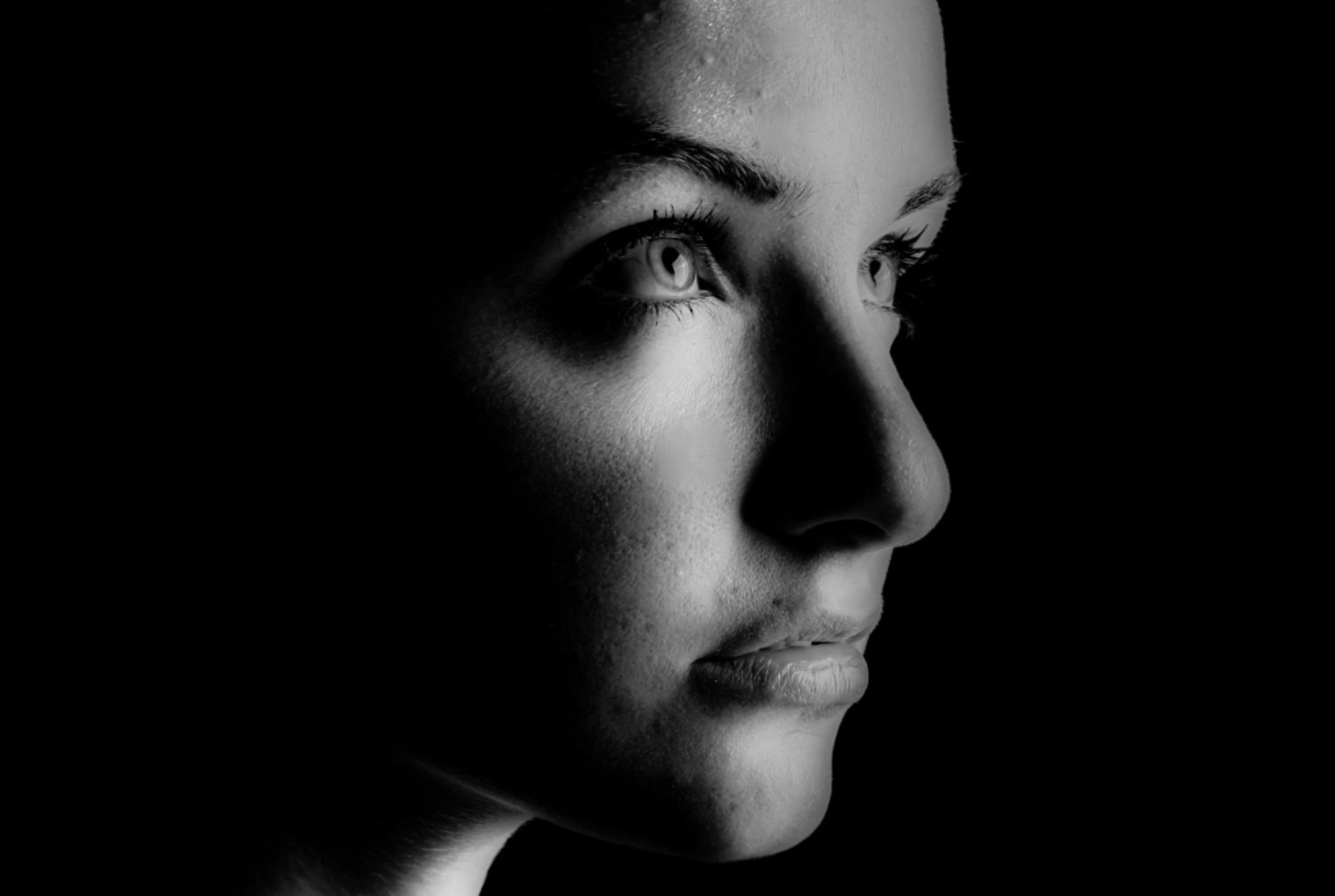
I converted the image to black and white as that's my particular preference using the presets Infrared preset and adjust the contrast and noise before saving it .
Being a JPEG there are some obvious points where you can see blemish removal and Lightroom is limited in this way, I'd use Lightroom to retouch or heal spots in a landscape but not on a portrait i would normally use my Anthropics software or Photoshop if i had a lot of time on my hands. The out come would have been slightly better if I'd had a RAW/ DNG to work with.